One row per company.
Buying happens in a company, but most outreach tools list people. anymail adds up the clicks, replies and offer visits of everyone you contacted at an account into one row and one timeline.
One row per company
Five people at one account are one line, with the people counted, the last event and the temperature.
Sorted by temperature
The list you open in the morning ranks companies by what they did recently, newest events first.
Events in order
Open a company to see every click, reply and offer visit, with the person who did it and when.
See the whole account in one place.
Every person you wrote to at a company, and everything they did, sits under one row. Nothing has to be matched by hand.
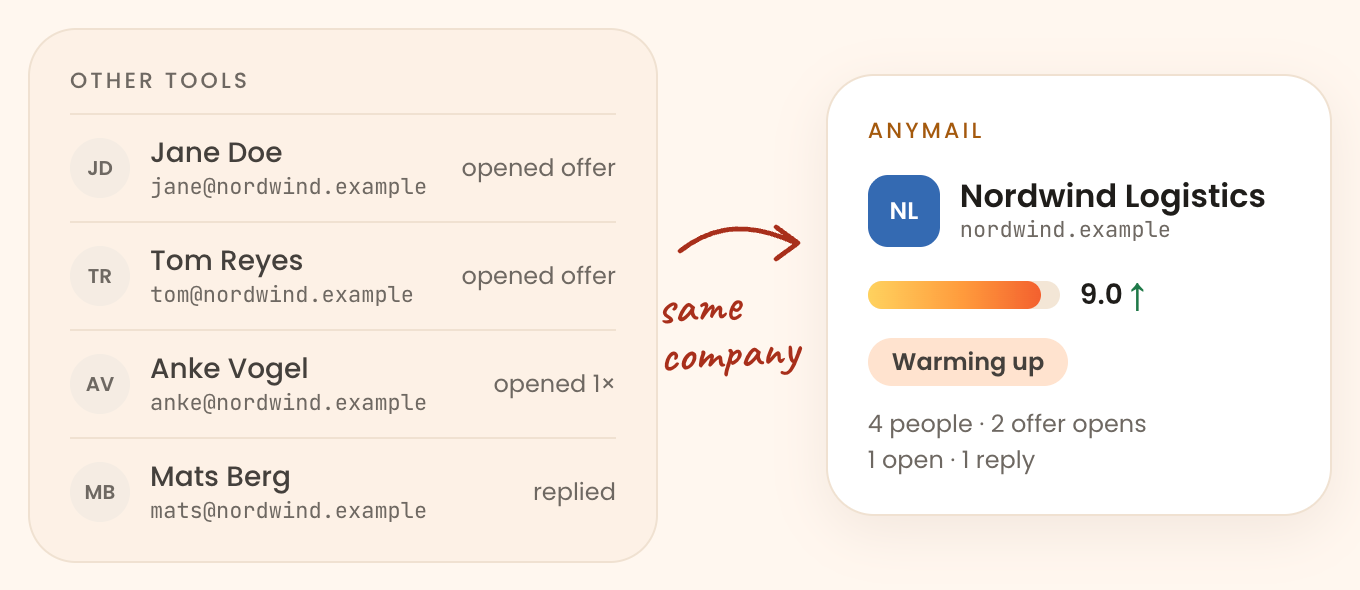
Add up what each person did
Two people opening three emails in one week is a signal no contact list shows. The company row sums it.
- Clicks, replies and offer visits from every person roll up to the company
- See how many people you wrote to and how many answered
- Open the row to see each person and their thread
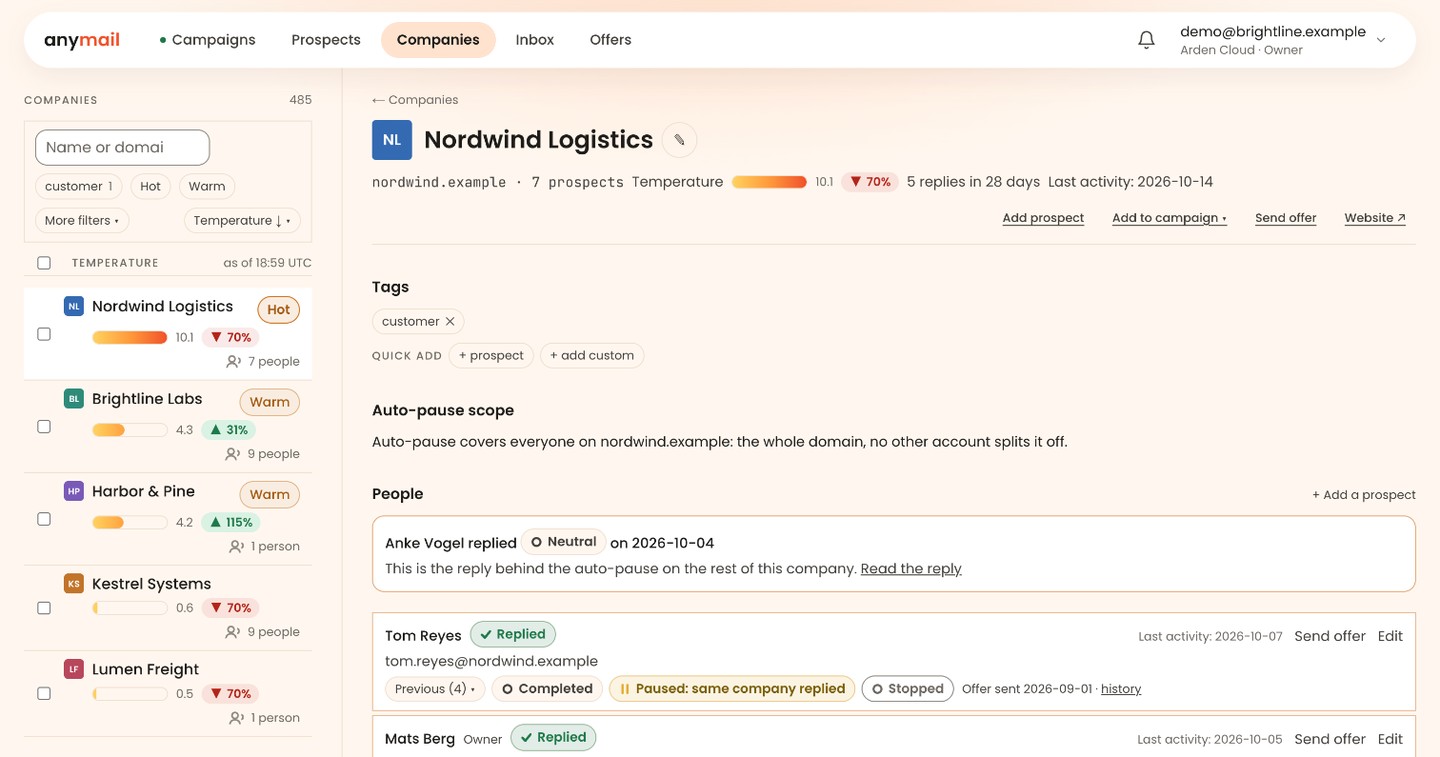
Read the week as a timeline
Each company has an event axis: what happened, who did it and when.
- Replies, clicks, offer visits, bounces and unsubscribes in one sequence
- The last event and its date are visible straight from the list
- Clicks and replies carry the weight, because a person had to perform them
Check how the temperature adds up
The temperature comes from your own sending, weighted by event type. Older events count less: each loses half its weight every 4 days.
- A positive reply weighs most, then other replies, then clicks
- Delivered is the baseline. Bounces and unsubscribes count negative
- An account that went quiet three weeks ago reads cold
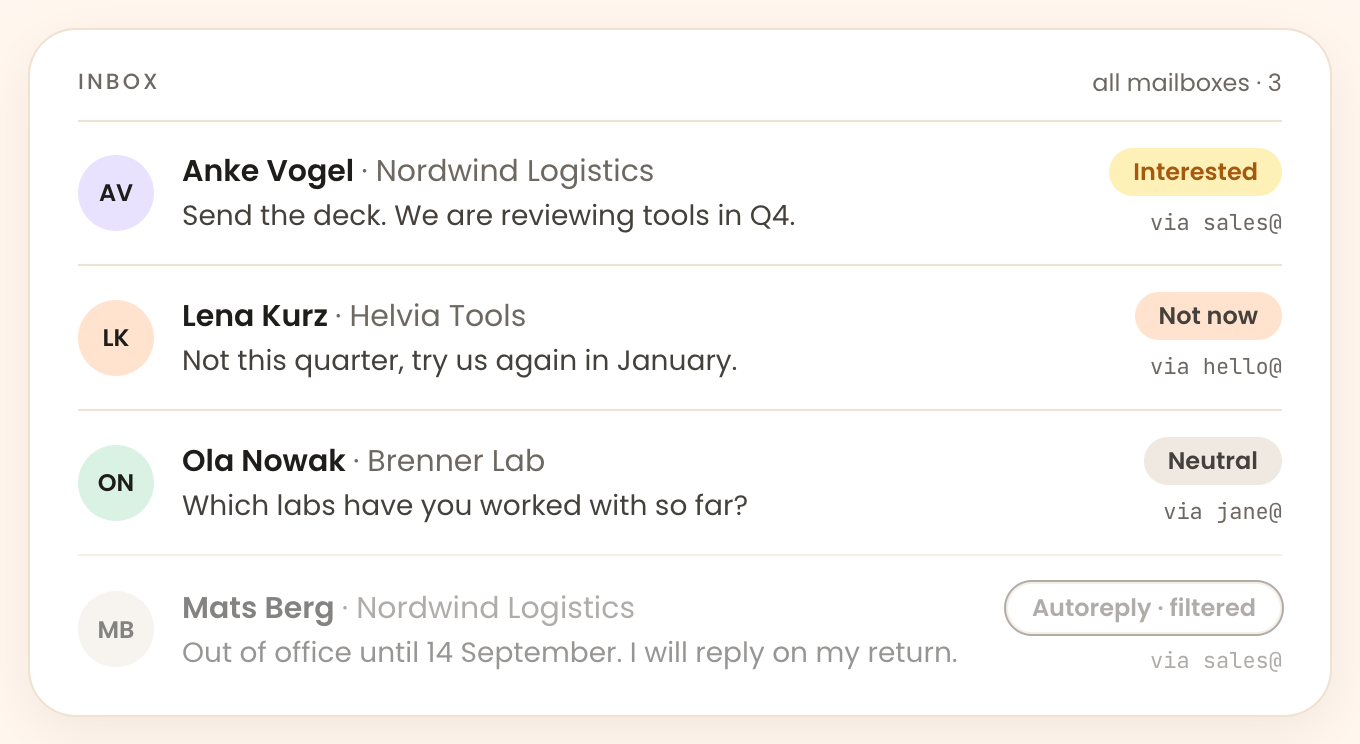
Answer with the company in view
The shared inbox collects replies from every connected mailbox and shows the company context beside each thread.
- Intent is classified for you and you can correct it by hand
- Replies from all mailboxes land in one inbox
- Company context sits next to the conversation
Four event types move the temperature.
Everything is counted from your own campaigns, so every number can be audited.
Replies
A positive reply weighs most. Any human answer shows the account is awake.
Clicks
A verifiable action taken by a person at the company.
Offer visits
Which person from the company read the offer, and which pages they opened.
Bounces and unsubscribes
They count negative: the account is colder than before you started.
Open the list and see which companies are warming up.
Every company you contacted, sorted by what it did recently. 14 days free, all features, no card.