Keep your domain sending.
A clean list, a paced send, DNS that checks out and a campaign that stops when bounces climb decide whether email lands. All four are in anymail.
Verified addresses
Verification is bought per address, catch-all included, and runs on import. A bad list stops before it reaches a mailbox.
Domain audit
SPF, DKIM and DMARC checked, with the date of the last check. A result without a date is worthless.
Bounce shield
A campaign pauses itself at a bounce threshold instead of burning the domain.
Three controls keep every campaign inside safe limits.
Rotation and limits pace the send, the shield pauses it and verification cleans the list before it starts. None of this promises inbox placement, and anymail does not claim it.
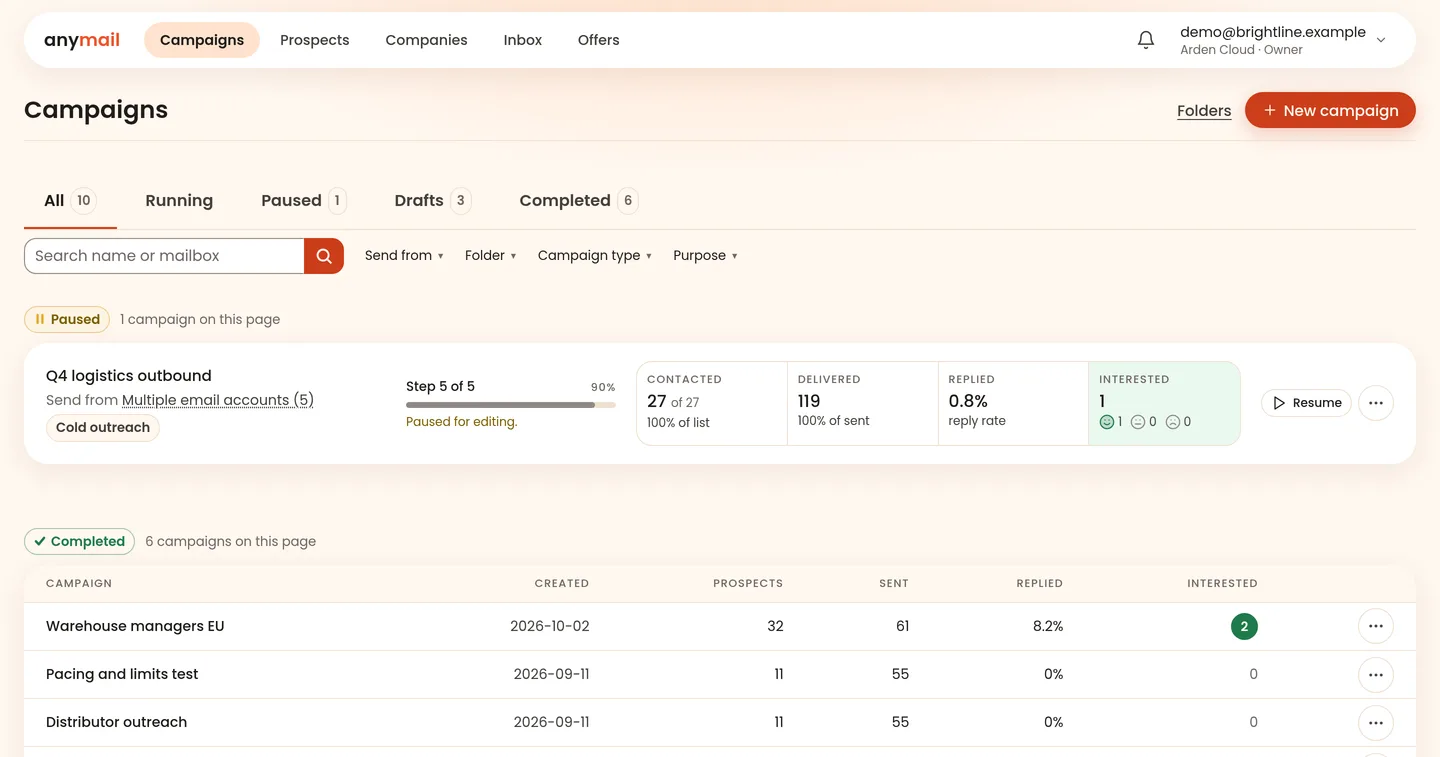
Spread every campaign across your mailboxes.
Connect Gmail, Microsoft 365, SMTP and IMAP mailboxes. A campaign rotates through all of them, and each mailbox keeps its own daily limit.
- Mailbox rotation inside a campaign
- A daily limit per mailbox and randomised gaps between messages
- Out-of-office replies are recognised and left out of the count
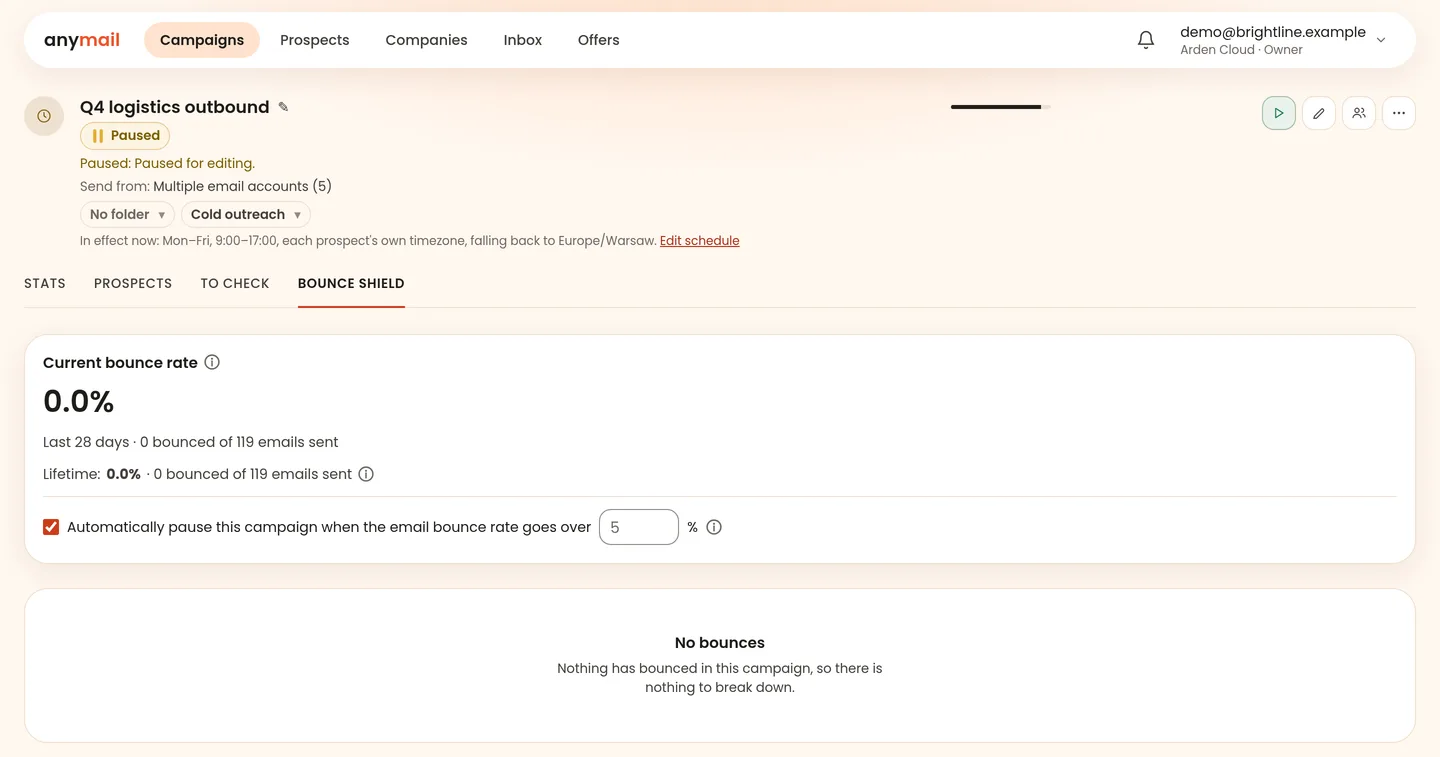
Pause the campaign before the domain pays.
The bounce shield stops a campaign at a bounce threshold, and the dashboard lists what needs attention each morning.
- A paused campaign shows its bounce rate and waits for your review
- One bounce or one unsubscribe can stop the colleagues at that company too
- Suppression is honoured across the whole platform

Stop a bad list at import.
Verification runs on import, so a list is checked before the first email leaves a mailbox.
- ZeroBounce and NeverBounce verify addresses before the first email
- FullEnrich looks for a replacement when an address turns out to be wrong
- Every provider bills you directly for its own credits, with no markup from anymail

Warm up a new mailbox before it sends.
A new mailbox has no history, and a sudden burst of cold email from it looks like what spam filters are built to catch. Warm-up builds the history first, with real conversations in the mailbox, before the first campaign goes out.
Warm-up in anymail runs on Mailivery, a dedicated warm-up service. Every plan includes warm-ups, and the number grows with the plan. It improves reputation over time and does not promise inbox placement.
Why it matters
Mailivery reports that outreach from a cold mailbox often ends up in Promotions or Spam. Warm-up traffic is opened, rescued from spam and answered, so the mailbox earns a reputation.
Where it happens
Mailivery exchanges mail with its own network of real mailboxes and keeps it in dedicated folders, away from your sales inbox.
How much
Mailivery suggests a 1:1 ratio. A mailbox that sends 30 cold emails a day warms up with about 30 warm-up emails a day.
How long
Expect a couple of weeks to a month before inbox placement visibly improves, longer for a domain with a bad history.
Mailivery is a registered trademark of SourceIT Technologies, Inc. The figures above are Mailivery's own guidance from mailivery.io, read on 2026-11-05.
Check your domain on day one.
The domain audit is part of the 14-day trial, which includes every feature and asks for no card.