Know who read your offer.
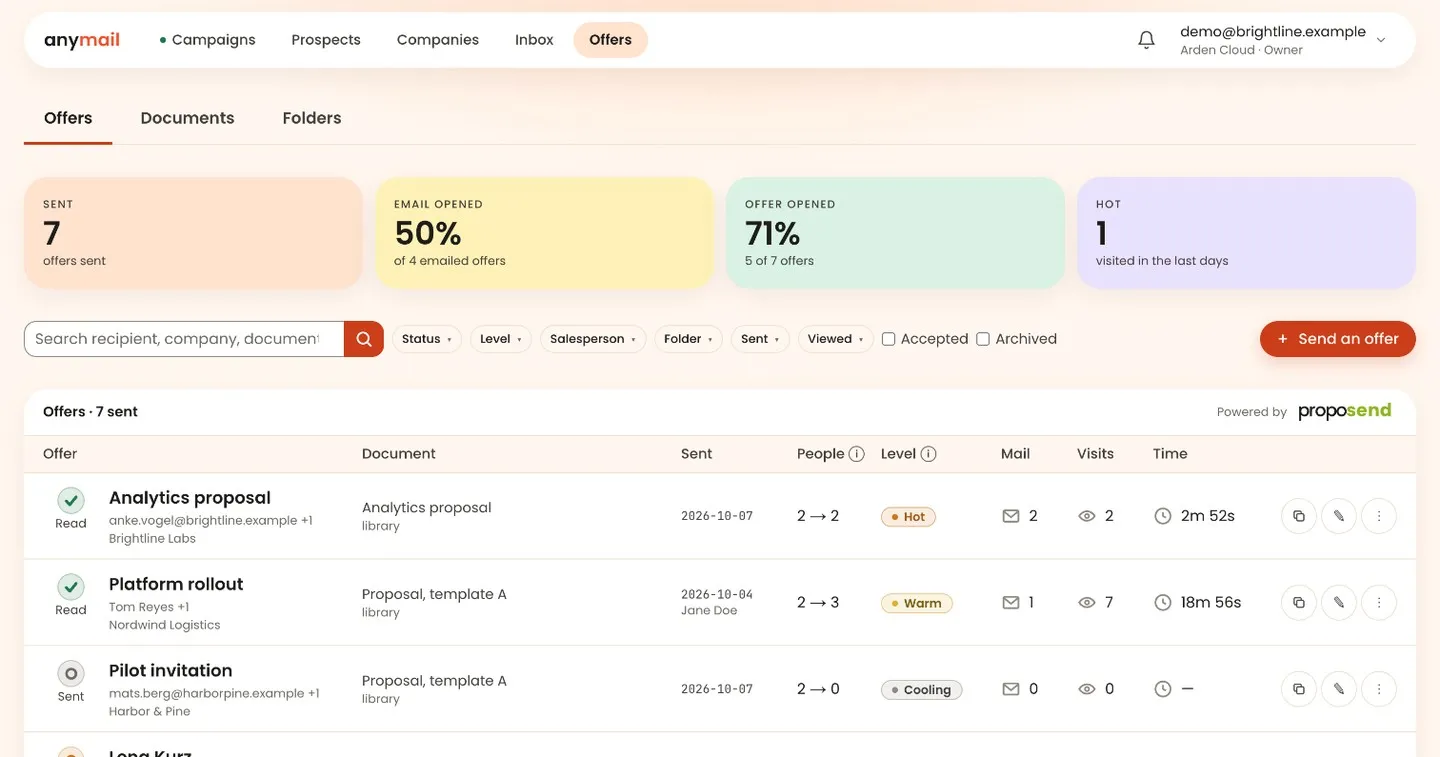
Send an offer as a tracked link and see which people at the company opened it, which pages they read and whether they came back. Every visit counts toward the company temperature.
Send an offer as a link you can read afterwards.
An attachment goes quiet once you send it. A tracked link tells you who opened the offer, which pages they read and whether they came back.
higher chance to win for proposals under five pages than for longer ones (Bidsketch survey, via Inc.).
pages in most winning IT services proposals (Zomentum study of MSP proposals).
higher odds of qualifying a web lead contacted within 5 minutes instead of 30 (MIT and InsideSales.com, 2007, 15,000 leads). It measures web-form leads, not offers.
Sources: Inc., Bidsketch survey; Zomentum; Lead Response Management Study, MIT and InsideSales.com. The first two are surveys of proposals and the third studies web leads, so read all three as direction. Reading time per page in anymail shows where your own readers stop.
What you see after you send
Who read it
Each person at the company who opens the offer shows up in the history.
Which pages
Reading time per page shows where they slowed down and where they stopped.
Whether they came back
Returns are recorded, and so are other people at the same company who open it later.
What it adds to the company
Every offer visit counts toward the company temperature, next to clicks and replies.
Company history, last 7 days
How it works
Send the offer
Send your deck or proposal as a personal link.
Watch the visits
Reading time per page, returns, and who else opened it.
Read the company view
Offer visits add up with clicks and replies into one temperature per company.
What an offer visit records.
All of it lands in the company account and the history behind it.
Reading time per page
How long each page of the offer was open.
Returns
Each visit is recorded, so you see who comes back.
Readers
Each person at the company who opens the offer.
Company account
Offer visits from anyone at the company sum into one company account.
Temperature
Offer visits are weighted by type with clicks and replies, and older events count less.
Device and IP data
Coarse device and IP-derived information is recorded for offer visits. DPA on request.

Offers is propoSEND, built into anymail.
propoSEND is a tool for sending and monitoring offers. It is an integral part of anymail, so every offer you send is tracked and counted toward the company temperature. You can also use it on its own at proposend.pl.
Frequently asked questions
Send your deck or proposal as a personal link. anymail records the visits to that link.
Which people at the company opened the offer, how long each page was open, whether they came back and who else opened it.
Yes. Clicks, replies and offer visits from anyone at the company add up, weighted by type, with older events counting less. The list you open in the morning is sorted by which companies are warming up.
Engagement events with timestamps, plus coarse device and IP-derived information for offer visits. The application and the database run in the EU. A DPA is available on request.
Send the next offer as a link.
The 14-day trial has every feature and needs no card. Send one offer and read the first visit by company.