Build sequences that fork on what the recipient does.
A reply, a click, a bounce or silence sends each recipient down a different path. Up to four variants per step, sent in the recipient's timezone.
Branching on behavior
Replied, clicked, bounced or stayed silent: the path forks on what happened. The editor is a canvas, because a list cannot draw a fork.
Variants and snippets
Up to four A/B variants per step. Snippets carry a fallback, so an empty field never ships as a blank.
Automatic follow-ups
Multi-step sequences send follow-ups on their own. A manual step, such as a call or a LinkedIn message, is a box to tick.
A fixed sequence sends the same email to everyone.
A reply should stop the follow-ups and a click should change them. anymail sequences branch on what happened, so each recipient gets the step that fits.
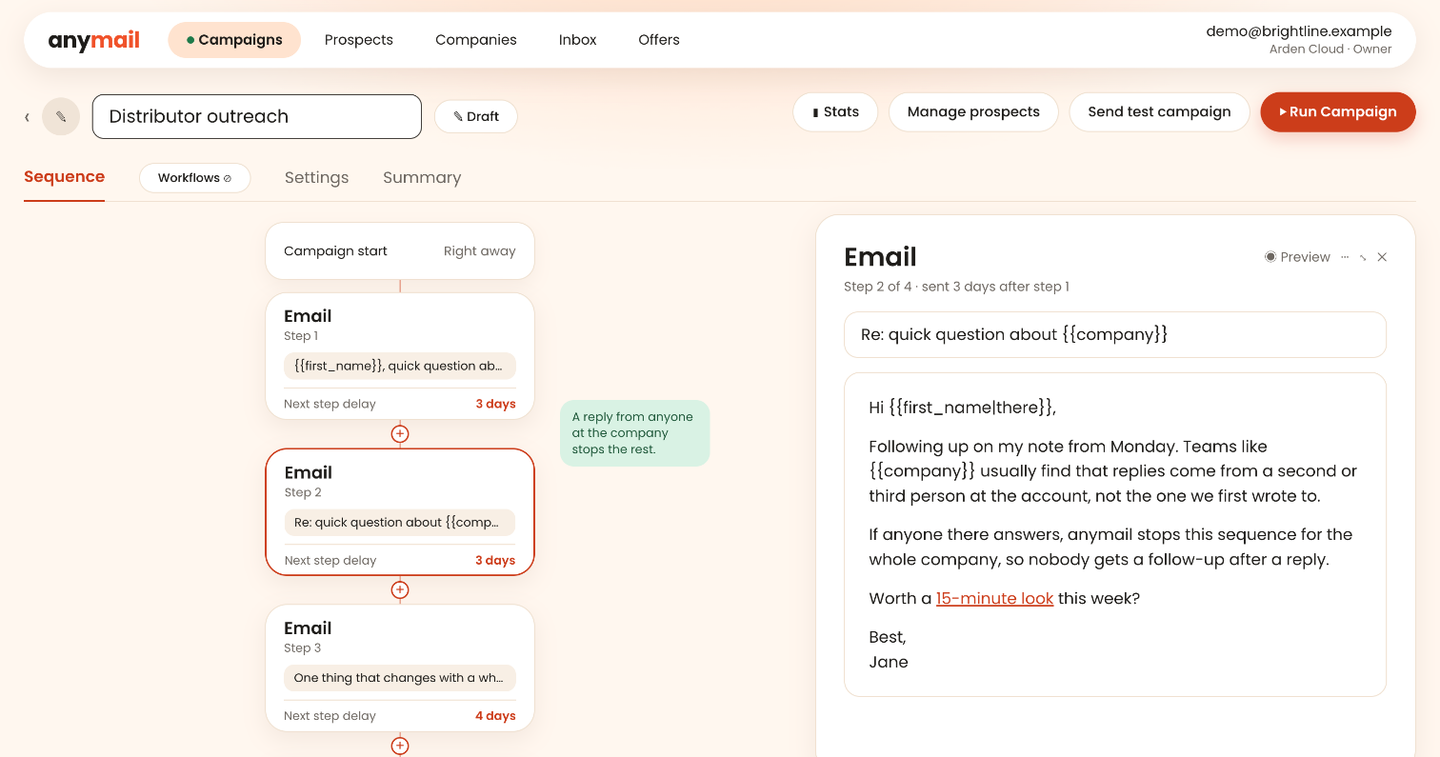
Write the whole sequence as a chain of emails.
Each step is an email with its own delay, so you can read the sequence from the first message to the last.
- Every step has its own subject, body and delay
- A reply from anyone at the company stops the steps that are left
- Preview any step before the campaign runs
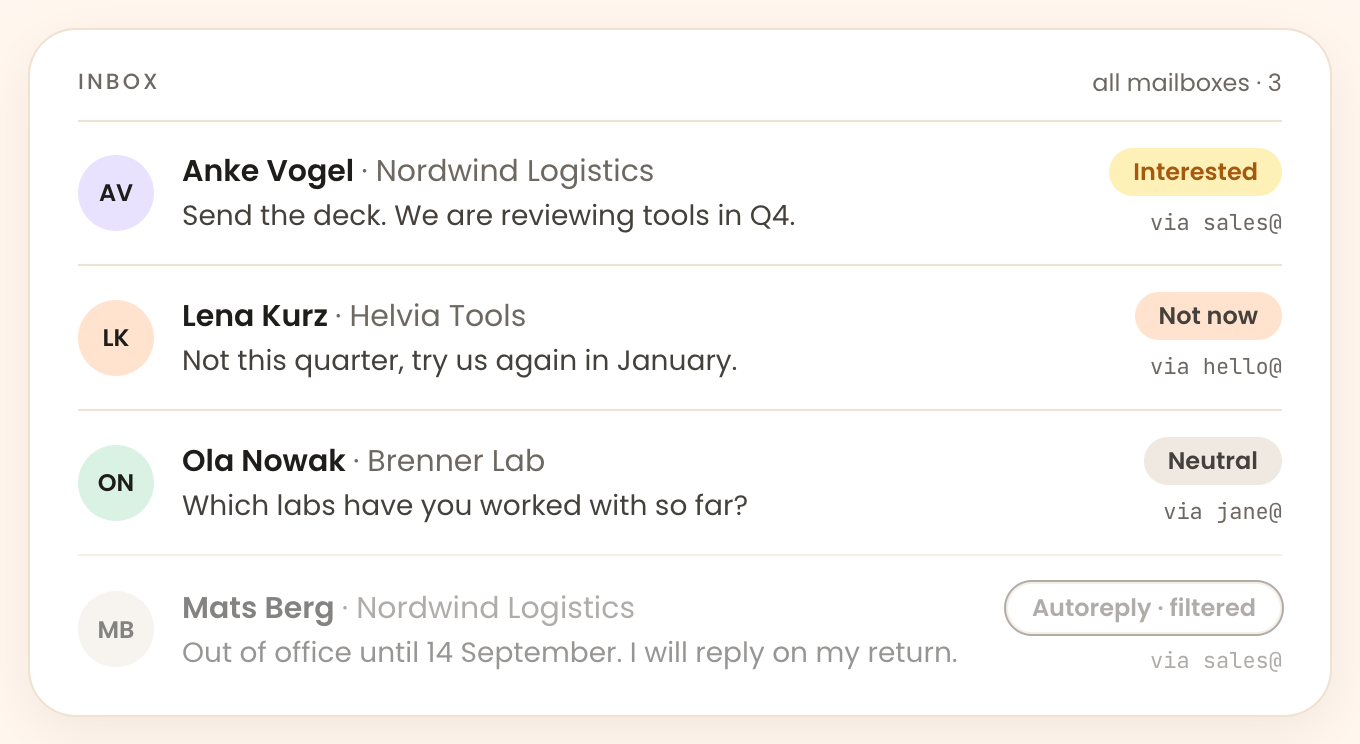
Read every reply in one inbox.
Replies from every connected mailbox arrive in one view, so the answer to a sequence is where you can see it.
- Replies classified by intent, with manual correction in one click
- Thread history and the company context next to each reply
- Reply from the app, without opening the mailbox
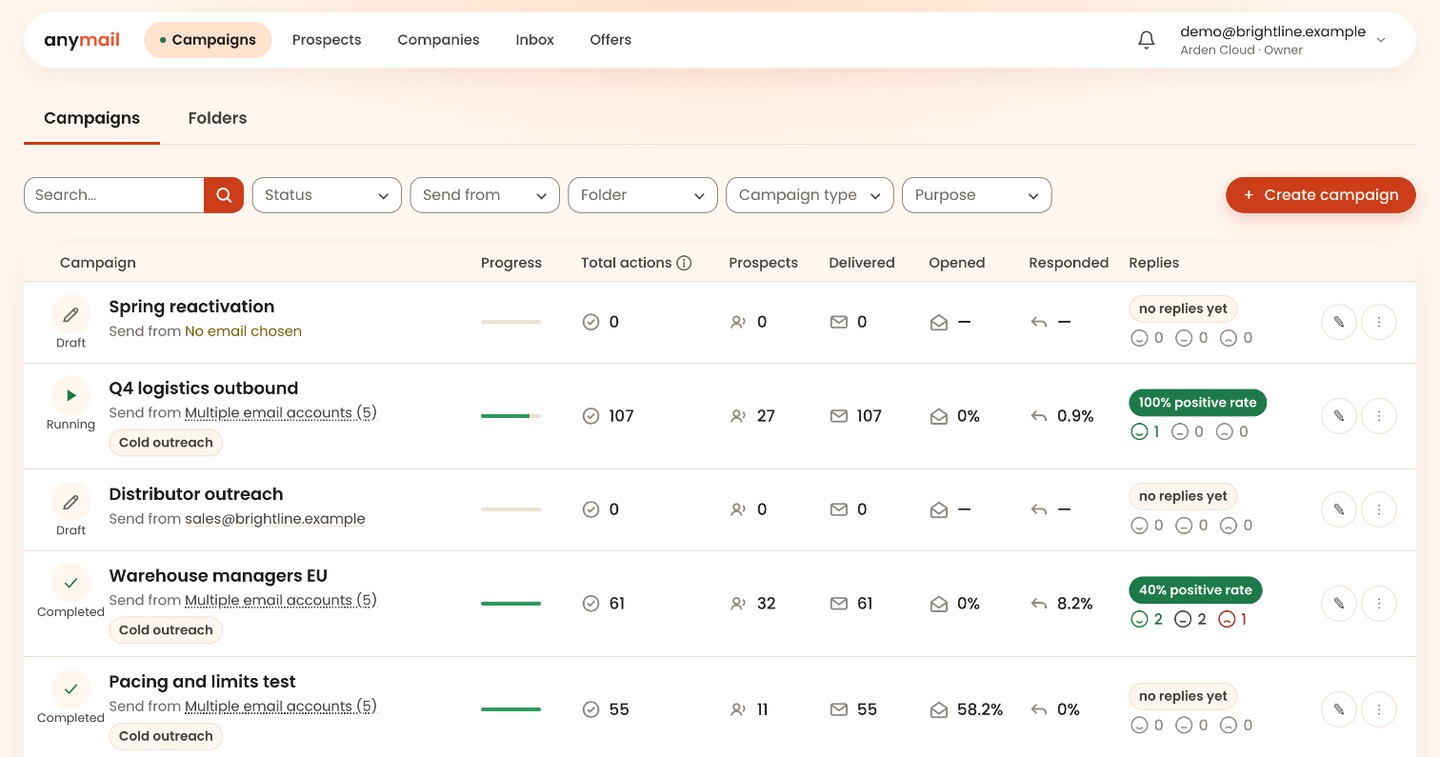
Send inside your limits.
Each step goes out in a window you set, in the recipient's timezone, from the mailboxes you connected.
- Mailbox rotation inside a campaign, with a daily limit per mailbox
- Randomised gaps between messages, so a sequence never fires on a clock
- Out-of-office replies are recognised and left out of the count
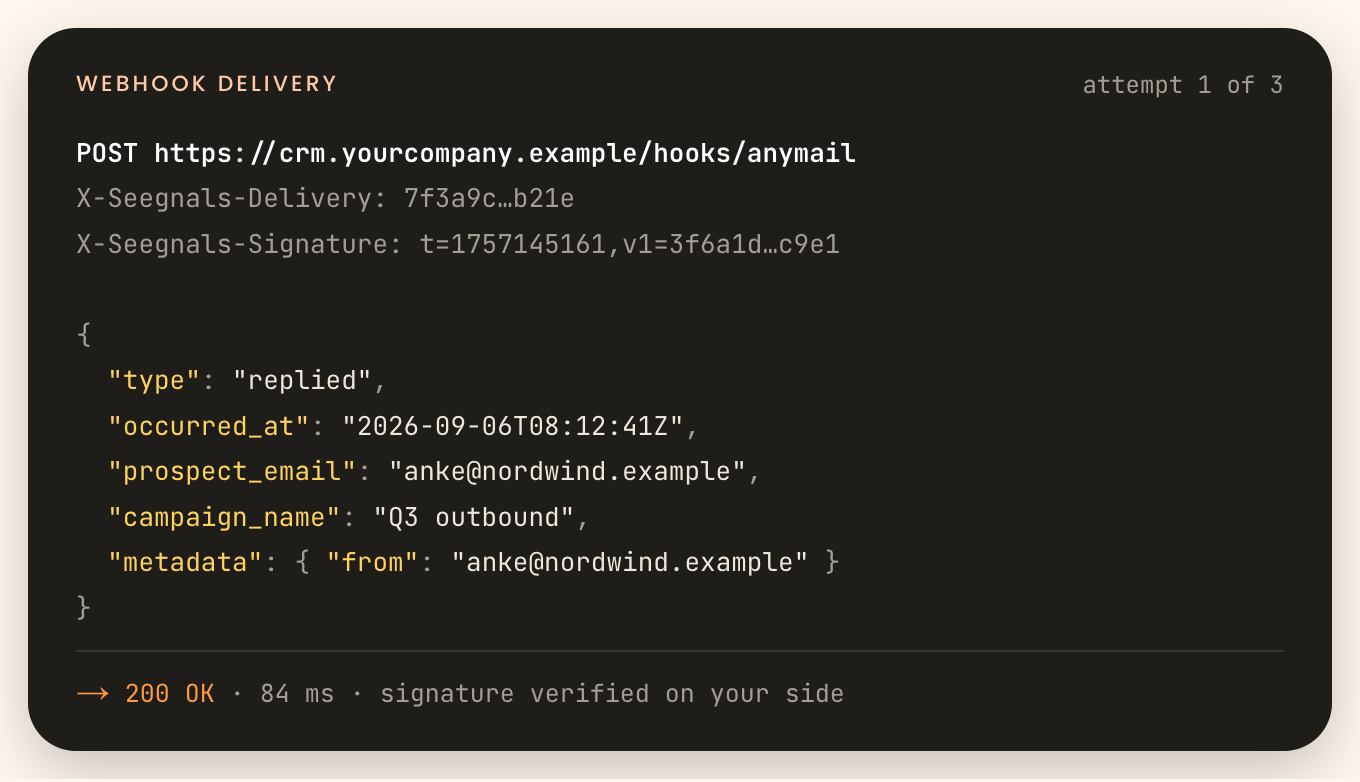
Send events to your CRM.
Replies, clicks and bounces leave anymail through CRM integrations, signed webhooks and the REST API, all included in every plan.
- CRMs both ways: people come in, replies and events go back
- Signed webhooks and a REST API in every plan
- Zapier for everything else
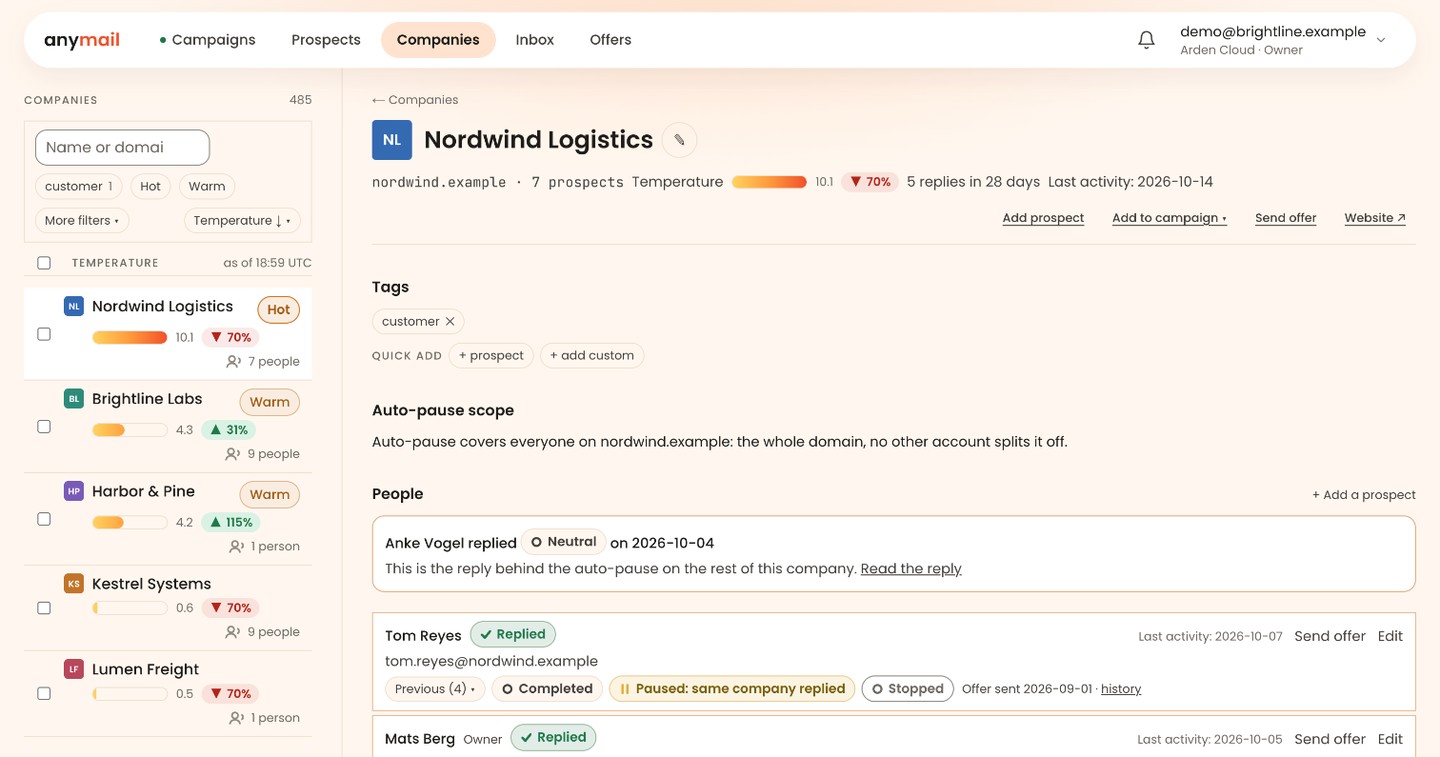
Sort the morning list by company temperature.
Sequence activity from every person at a company adds up to one row for that company.
- One row per company, however many people you wrote to
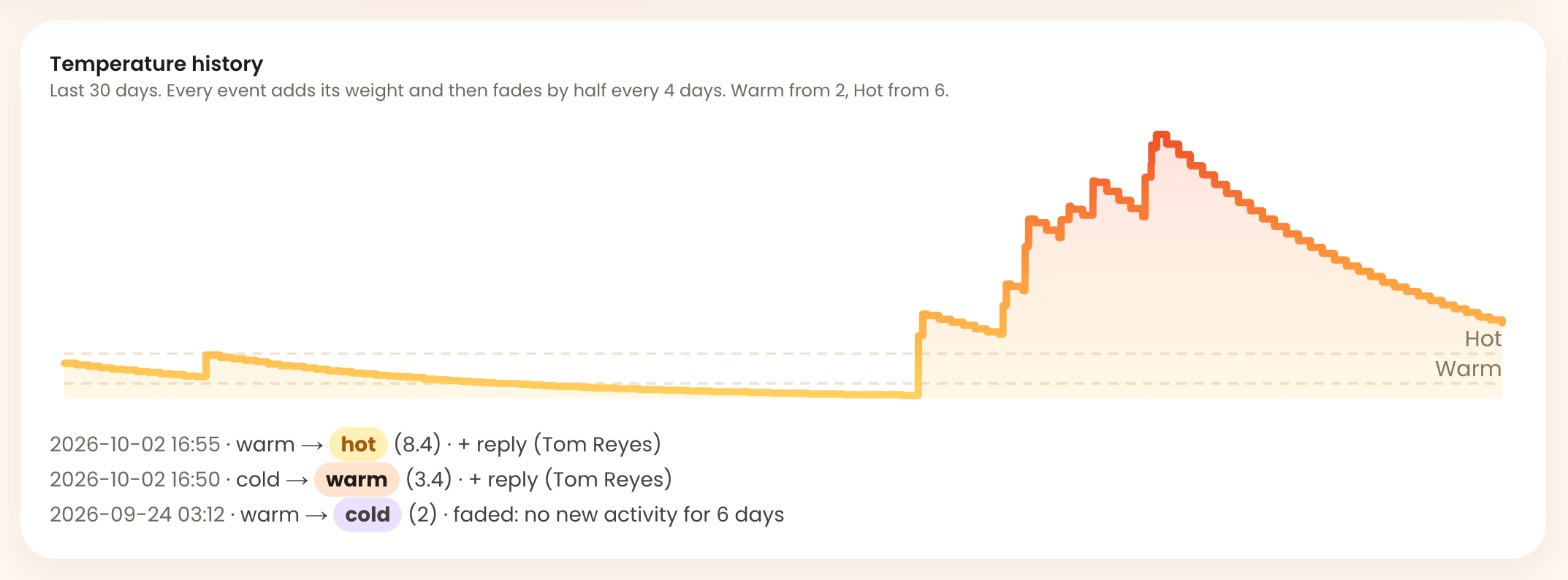
- Temperature weighted by event type, fading with age
- A morning list sorted by temperature
Start with one sequence that forks.
The 14-day trial includes every feature and asks for no card.