Plan the sending domain and the number of mailboxes
Decide where cold email sends from and how many mailboxes your volume needs, before you connect anything.
Continue for free
Enter your email to open this lesson. You stay signed in for 7 days on this device.
What to set
- Register a second domain close to your brand for cold email, such as arden-cloud.example next to ardencloud.example. Keep the main domain for customers and staff.
- Count the new people you want to reach per week and divide by the number of working days.
- Open the mailbox calculator and enter that number, the number of follow-up steps and a limit of 25–30 new emails per mailbox per day.
- Create the mailboxes it suggests, two or three per domain, each with the name of the person who will answer.
Why it matters
A cold email domain collects complaints and bounces faster than a domain that only writes to customers. Keeping the two apart means a bad week in outbound does not slow down invoices, support replies or your team's daily email. The mailbox count follows from the volume: every follow-up also counts against the daily limit, so a four-step sequence needs several times the capacity of the first send alone.
Watch out for
- A mailbox created today has no sending history. Start below the daily limit and raise it over the first weeks.
- Role addresses such as sales@ read as less personal than a named person. If you use them, sign with a real name.
- A new domain needs SPF, DKIM and DMARC before the first send. Lesson 4 checks them.
Good practice
- Two or three mailboxes per domain keeps the damage small if one domain runs into trouble.
- Use the same sender name and signature in every mailbox of one person.
- Write the plan down: domains, mailboxes and daily limit. You need it again in the campaign settings.
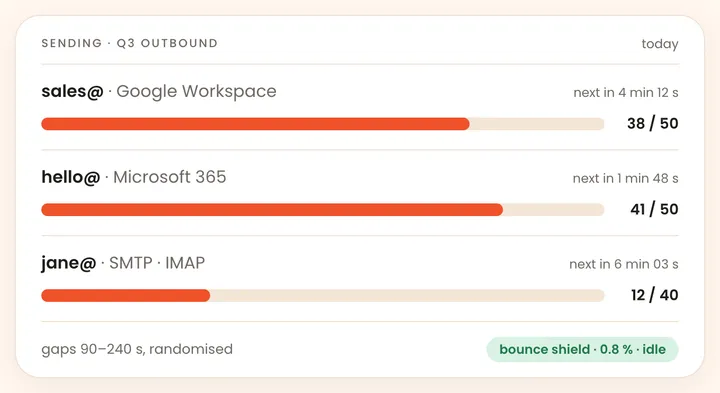
Jane at Arden Cloud wants to reach 300 operations leads at logistics companies in four weeks, with a four-step sequence. The calculator suggests three mailboxes on one new domain: jane@, sales@ and hello@ at arden-cloud.example.