Set a daily sending limit for each mailbox
Choose a daily limit well below the provider's cap, count follow-ups against it and grow volume by adding mailboxes.
Continue for free
Enter your email to open this lesson. You stay signed in for 7 days on this device.
What to set
- Check the current daily cap for your account type in the Google Workspace or Microsoft 365 documentation, and stay far below it.
- Set the daily limit on each mailbox to about 25 to 30, and lower on a new mailbox.
- Count follow-ups against the same limit. A first email and three follow-ups use four sends per prospect.
- Add mailboxes for more volume. At 30 a day, 5 mailboxes send 150 a day.
- Add up the mailboxes on each domain, because providers see the domain's total.
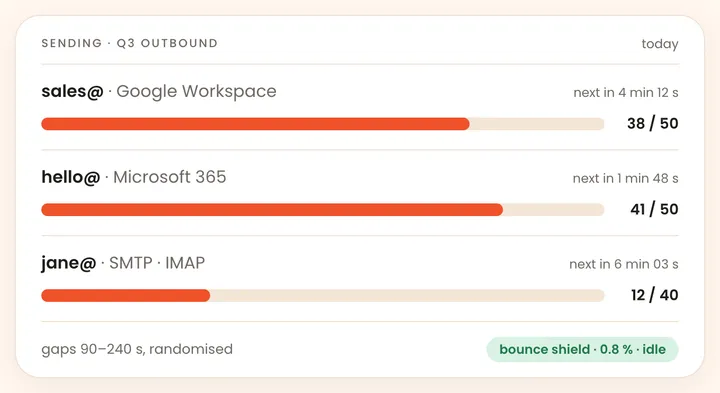
- Spread sends with random gaps. By default anymail spaces one mailbox's messages 4 to 15 minutes apart, 9:00 to 17:00 on weekdays.
Why it matters
The provider's cap is the limit you cannot exceed, and the volume that keeps your reputation healthy sits well below it. The range of 25 to 30 is practitioner convention with no provider rule behind it, so tune it against your bounce and reply data.
Watch out for
- A burst of 50 emails in two minutes looks like a script, even when the daily total is low.
- A daily total of 150 reaches far fewer than 150 new prospects once follow-ups start.
- Campaigns often run overnight. By default Bounce shield pauses one above 5% bounces once 20 emails have gone, and after 3 hard bounces in a row.
Good practice
- Treat 30 as a ceiling to approach slowly.
- Lower the limit after any sudden rise in bounces and check the list before you resume.
- Check bounces, replies and spam complaints before you change a limit.
Worked example
Jane's three mailboxes send 75 a day from arden-cloud.example. With four steps that reaches far fewer than 75 new leads a day, so she spreads Nordwind Logistics and Harbor & Pine over three weeks.
Go deeper: How many cold emails can you send per day from one mailbox?