Follow the offer and choose the next step
Read who opened the offer and where they stopped, then decide whether to call or write.
Continue for free
Enter your email to open this lesson. You stay signed in for 7 days on this device.
What to set
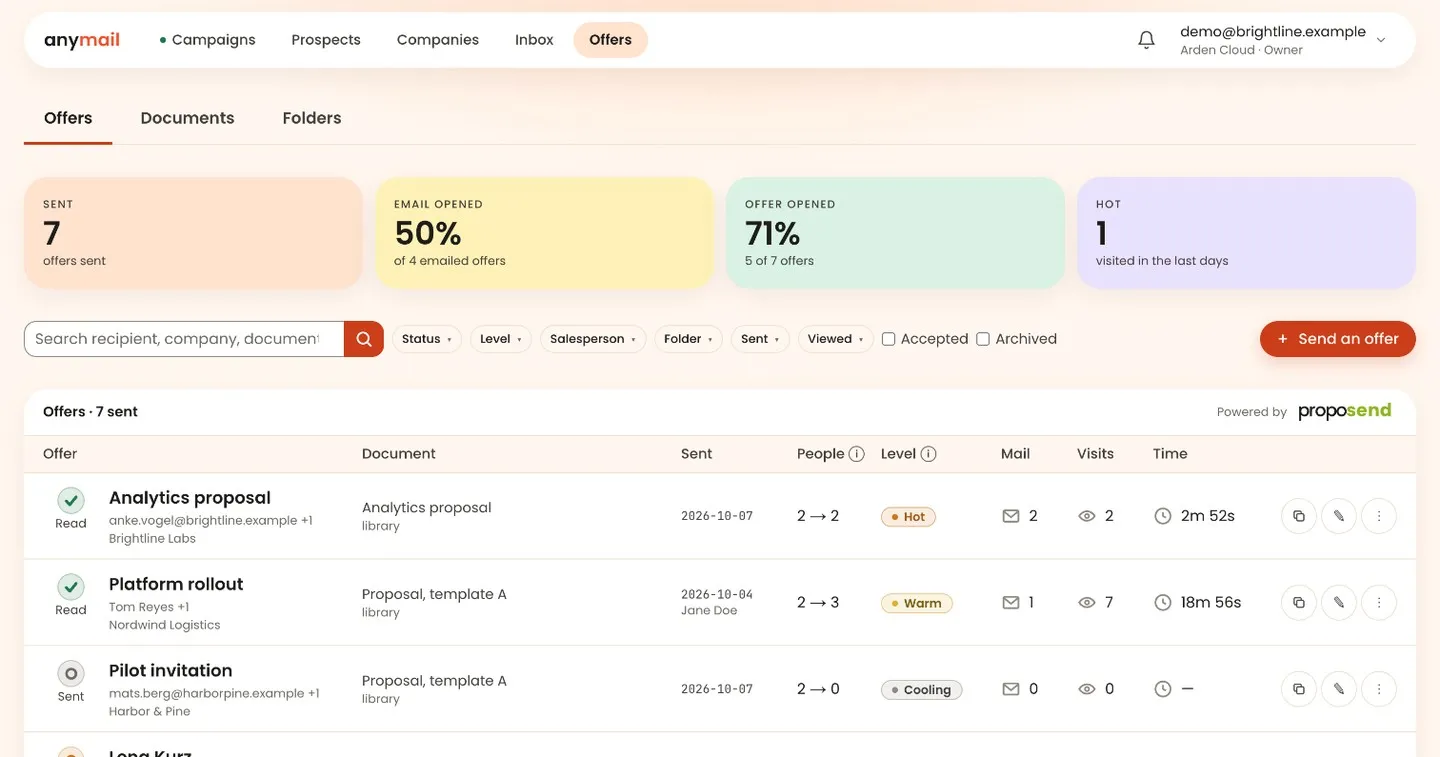
- Open Offers and find the offer you sent.
- Read who opened it, how long each page stayed open and whether they came back.
- Watch for new readers at the same company. A forwarded offer shows up as a new person.
- Open the company page to see the offer visits in the temperature history.
- Choose the next step: a call when someone returns to the pricing page, a short note when nobody has opened it after a few days.
Why it matters
Offer visits are among the strongest signals before a reply: a return to the offer weighs 2.5 and a forward weighs 3 in the temperature. Reading time per page shows which part of the proposal held attention and where readers stopped.
Watch out for
- anymail emails you when an offer turns Hot or someone returns after a quiet period. Keep these notifications on.
- Coarse device and IP-derived information is recorded for offer visits. Cover it in your privacy notice.
- A visit shows interest. Confirm the decision in a conversation.
Good practice
- Call within a day of a return visit to the pricing page.
- Refer to the topic they read, and keep the tracking out of the conversation.
- Close the loop with a short email if the offer stays unopened for five working days.
In the demo workspace
Piotr opens Jane's proposal twice in one afternoon and spends most of the time on the pricing page. Brightline Labs turns Hot, and Jane calls Piotr the next morning.