Read the company temperature
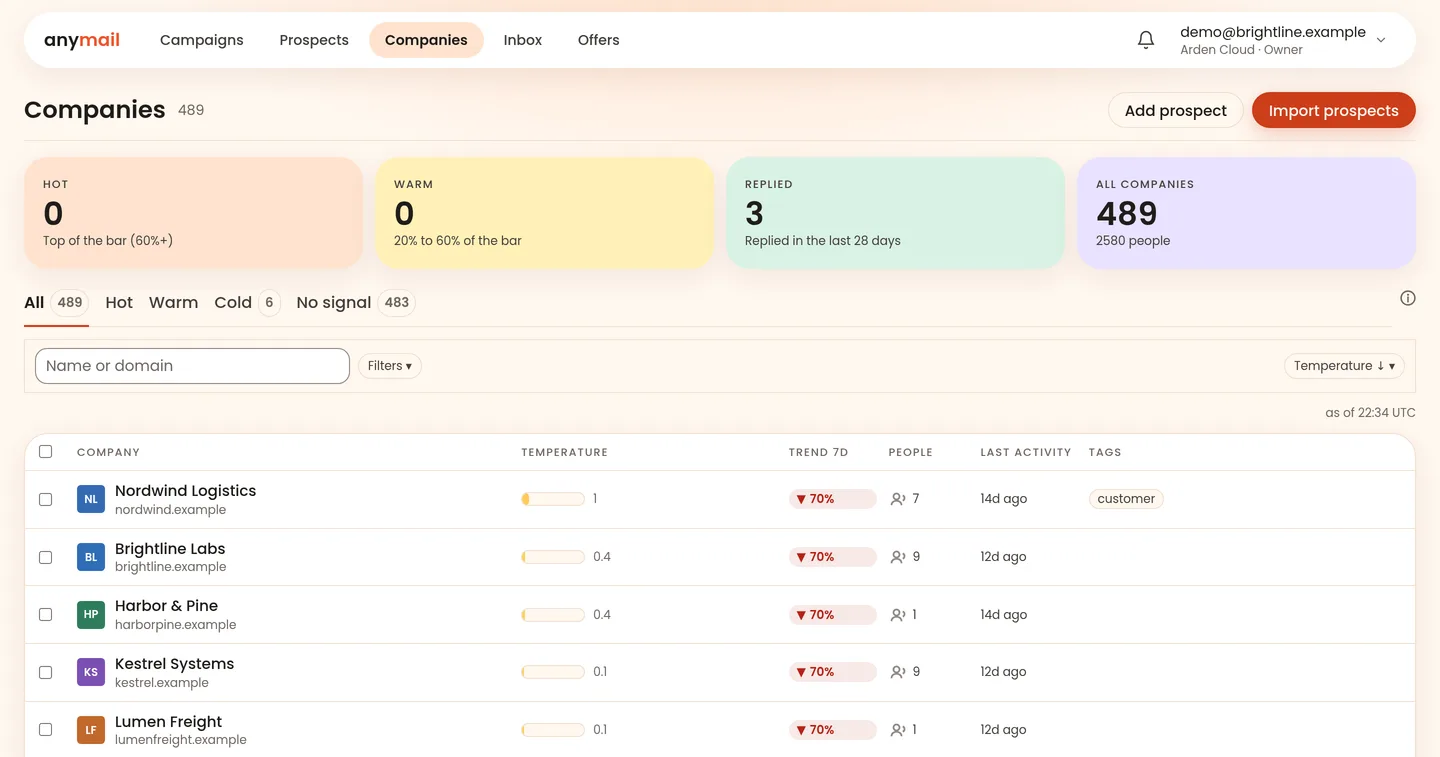
See which companies are warming up, from the actions of everyone you wrote to there.
Continue for free
Enter your email to open this lesson. You stay signed in for 7 days on this device.
What to set
- Open Companies. Each company is one account, however many people you wrote to there.
- Use the tabs All, Hot, Warm, Cold and No signal to filter the list.
- Read the bar and the score from 0 to 10. A score of 6 or more is Hot, 2 or more is Warm, anything lower with at least one event is Cold, and a company without events has No signal.
- Sort by temperature and start your day at the top.
Why it matters
In B2B the buyer is a company. Three people at one company who each did something say more than one person who did a lot. The temperature adds up the replies, clicks and offer visits of everyone you contacted there, so the warmest accounts rise to the top on their own. A positive reply weighs 5, another reply 3, a click 2 and a delivered email 0.5.
Watch out for
- Opens do not count toward the temperature. After Apple Mail Privacy Protection an open says little about a person.
- Each event loses half its weight every 4 days, and events older than 28 days drop out, so a quiet company cools down.
- Bounces and unsubscribes lower the score.
Good practice
- Open Companies before the Inbox on Monday morning.
- Contact Hot companies the same day.
- Give Warm companies the next personal touch, such as a short note from a colleague.
In the demo workspace
After one week, Nordwind Logistics sits at the top of Jane's list: two replies in the same week and a click on the case study.