Turn on the company pause and the bounce shield
Stop writing to a company after one reply, and stop the campaign before bounces damage the domain.
Continue for free
Enter your email to open this lesson. You stay signed in for 7 days on this device.
What to set
- On the Settings tab, open Safety.
- Under Auto-pause for same domain, keep both checkboxes on: Pause if any prospect from the same domain responds, and Pause if any prospect from the same domain bounces.
- Leave Overlapping campaigns off unless people already active in another campaign should join this one too.
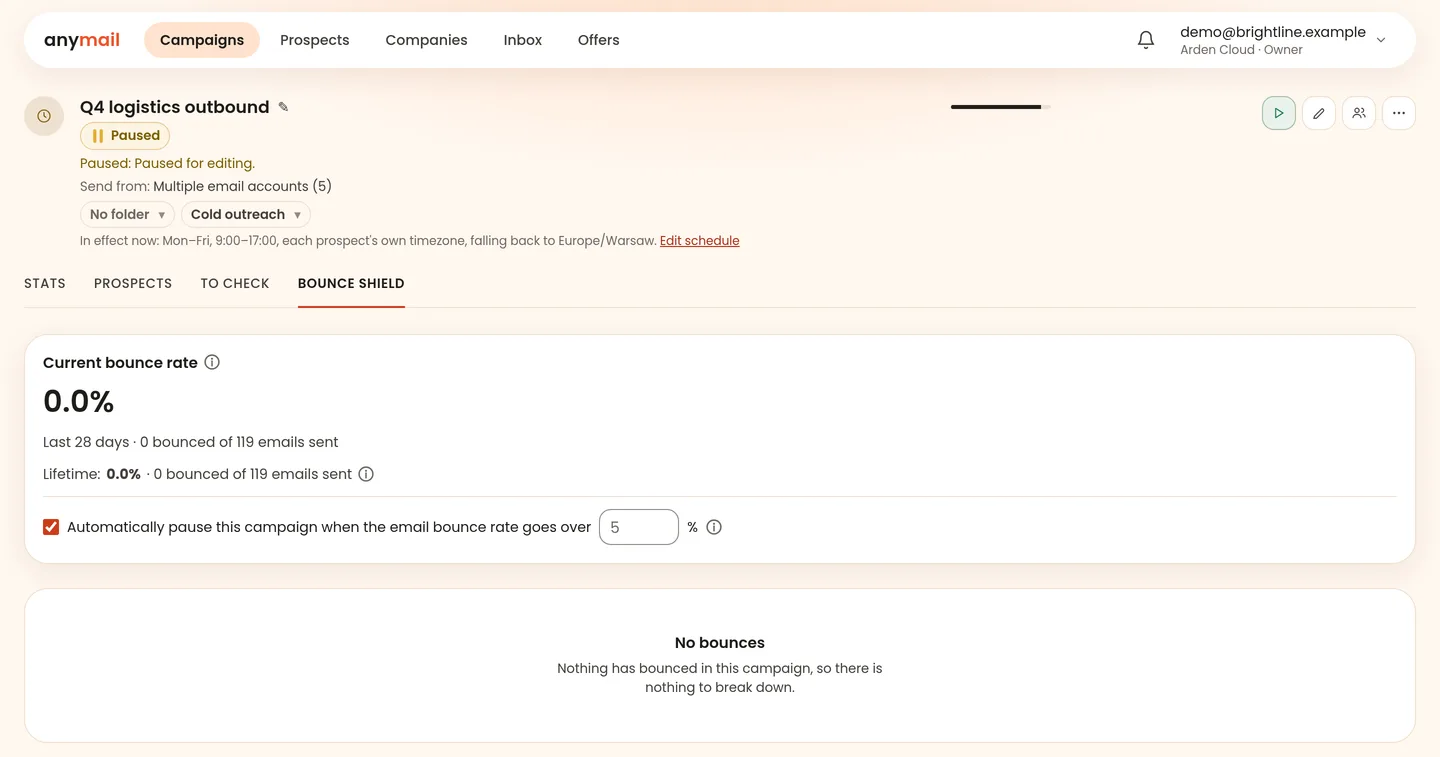
- Open the Bounce shield tab. Tick Automatically pause this campaign when the email bounce rate goes over and enter a number from 1 to 20.
- Leave the field empty to use the default of 5%.
Why it matters
One reply is the company answering, so their colleagues should stop receiving follow-ups. One bounce often points to a problem with the whole domain. The bounce shield stops the campaign before a bad batch hurts the sending domain.
Watch out for
- Three bounces in a row pause the campaign whatever the threshold.
- The company pause works inside this campaign. The same company in another campaign keeps going.
- A paused campaign waits for you. Read the bounces before you resume.
Good practice
- With a verified list, a threshold of 2–3% catches problems early.
- Keep both company pause checkboxes on for account-based campaigns.
- When the shield triggers, remove the bad addresses before you resume.
In the demo workspace
Jane keeps both checkboxes on and sets the bounce shield to 3%. When someone at Nordwind Logistics replies, the other six Nordwind people in the campaign stop receiving follow-ups.